
Printable storage system
Printable Coloring Page Folder Organization
Keep printable coloring pages easy to find, reprint, and use safely by sorting them by age, theme, season, source rights, paper type, and activity setting.
Coloring Notebook
Printable Coloring Page Folder Organization
Sort pages by purpose, keep source notes, and separate tested pages from finished pages.
Sort first
- Separate untested downloads from pages that print well
- Sort kids, teen, adult, and mixed-age pages
- Group seasonal pages by month or holiday
- Keep marker-friendly pages separate from pencil pages
- Pull finished pages out of the active print folder
Label folders
- Quick pages for short activities
- Detailed pages for longer coloring sessions
- Classroom or library packets
- Seasonal pages by month
- Reprint favorites and tested pages
Source notes
- Save the page source or creator name
- Keep usage terms with third-party files
- Mark classroom, library, personal, or commercial limits
- Link to the source instead of reposting files
- Review terms before sharing or bundling
Reset routine
- Move tested pages into the right folder
- Recycle bad test prints quickly
- Write printer settings on repeat pages
- Store finished pages flat
- Review the folder once a month
Direct answer
The simplest way to organize printable coloring pages is to keep one inbox for untested pages, then file tested pages by age, theme, season, supply fit, and usage rights. Keep reprint favorites and finished pages in separate sections so the active folder stays easy to use.
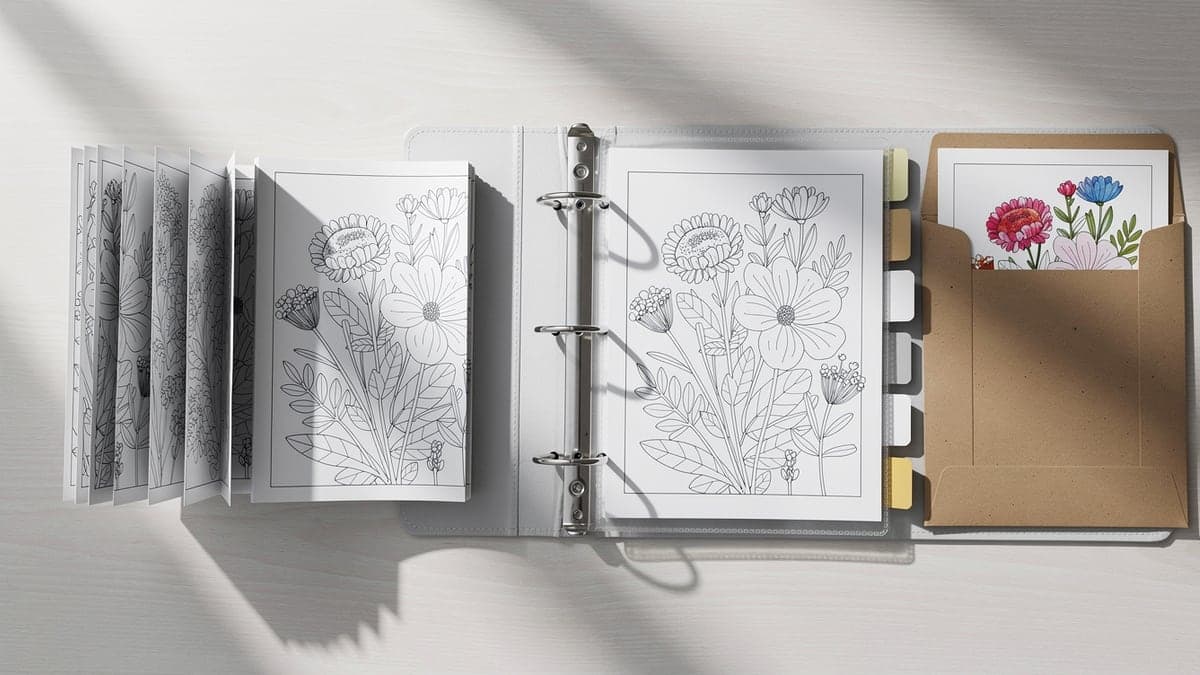
Folder sections that stay useful
A printable folder works best when every section answers a real question: who is this for, when will we use it, what supplies does it need, and can it be reprinted?
| Folder | Best for | What to include |
|---|---|---|
| Quick pages | Rainy days, waiting rooms, early finishers, and ten-minute coloring breaks | Large shapes, bold outlines, simple animals, cozy objects, and low-detail pages |
| Detailed pages | Adult coloring, teen breaks, weekend sessions, and pages worth saving | Mandalas, florals, cozy rooms, geometric pages, and pages printed on better paper |
| Seasonal pages | Holiday planning, classroom packets, library tables, and monthly activity bins | Halloween, Thanksgiving, Christmas, spring, summer, birthdays, and school themes |
| Classroom or library packets | Group use where pages must be easy to copy, explain, and clean up | Source notes, approved use notes, test copy, extra copies, and simple supply list |
| Reprint favorites | Pages people ask for again, tested printer settings, and reliable activity backups | Best paper setting, scale notes, source URL, and age or supply fit |
| Finished pages | Pages to display, gift, scan, or keep as examples | Flat storage, date or theme note, and finished-page envelope or binder section |
Labels worth adding
| Label type | Examples | Why it helps |
|---|---|---|
| Age | Toddler, preschool, kids, teen, adult, senior-friendly | Age labels make it easier to choose line size and detail level quickly. |
| Theme | Animals, flowers, mandalas, vehicles, cozy scenes, color by number | Theme labels help parents, teachers, and libraries build small activity packets. |
| Season | January, spring, Halloween, Thanksgiving, Christmas, summer break | Season labels make old downloads easier to reuse when the same month returns. |
| Supply fit | Crayon, colored pencil, washable marker, marker-tested, heavy paper | Supply labels prevent marker pages from ending up on thin or double-sided paper. |
| Usage rights | Personal, classroom, library, link-only, commercial license, ask first | Rights labels reduce accidental reposting, resale, or unsupported group use. |
Five-step folder workflow
- 1
Make one inbox folder
Put new downloads, untested files, and one-off ideas in an inbox first. Do not mix them with pages already approved for reprinting.
- 2
Test before filing
Print one copy, check margins and line darkness, then write a short note about scale, paper, and supplies before moving the page into a permanent folder.
- 3
Attach source notes
Keep the creator, URL, permission wording, and intended use near the file or printed master copy, especially for classroom, library, and blog use.
- 4
Create activity packets
Build small packets by purpose: preschool table, teen study break, adult quiet page, holiday event, or library storytime.
- 5
Archive finished pages
Move completed pages out of the active folder so the printable system stays about choosing and reprinting, not storing every finished sheet.
Storage supplies to compare
Choose storage by how the pages are used. A small home folder, a homeschool binder, and a classroom file box solve different problems.
| Supply | Best for | What to know | Compare |
|---|---|---|---|
| Accordion file folder | Sorting printable pages by age, theme, season, or activity type | Choose a folder with enough pockets for the categories you will actually use. | Compare on Amazon |
| Three-ring binder | Homeschool pages, classroom master copies, source notes, and reprint favorites | Binders work well when pages need notes, dividers, and reusable planning sheets. | Compare on Amazon |
| Sheet protectors | Master copies, tested printer settings, rights notes, and finished examples | Use protectors for pages you reprint often instead of every loose sheet. | Compare on Amazon |
| Hanging file box | Classroom, library, daycare, or craft room storage with multiple folders | A box is easier to scan when more than one person pulls activity pages. | Compare on Amazon |
| Printable labels | Folder tabs, binder dividers, classroom packets, and seasonal storage | Simple labels help the system survive busy weeks and shared use. | Compare on Amazon |
Useful contexts
Homeschool organization pages, teacher resource lists, parent activity blogs, library program pages, and craft room organization posts can link to this guide as a practical printable folder system.
Natural anchors include printable coloring page folder organization, organize printable coloring pages, and coloring page binder setup.
FAQ
How should I organize printable coloring pages?
Start with one inbox for untested pages, then sort tested pages by age, theme, season, supply fit, and usage rights. Keep reprint favorites separate from finished pages.
What folders should I make for printable coloring pages?
Useful folders include quick pages, detailed pages, seasonal pages, classroom or library packets, reprint favorites, and finished pages.
How do teachers organize coloring pages for classroom use?
Teachers should keep a tested master copy, usage notes, printer settings, extra copies of popular pages, and a simple supply note with each packet.
Should printable coloring pages be stored by age or theme?
Use both when possible. Age labels help with detail level, while theme labels help build packets for holidays, lessons, rainy days, and quiet activities.
How do I keep track of coloring page usage rights?
Save the source URL or creator name, keep permission wording with the file, and label pages for personal, classroom, library, link-only, or commercial use.
What should I do with finished coloring pages?
Move finished pages into a separate envelope, binder, or display folder. Keeping finished pages away from blank printables makes the active folder easier to use.