
Library pickup folders
Library Coloring Page Pickup Folder Labels
Coloring programs run smoother when finished pages have a clear place to wait. Label pickup folders by alphabet, program date, no-name pages, display return, and cleanup timing so staff can reset the table without losing patron work.
Library Pickup Template
Pickup Folder Labels
Use these folder labels when finished coloring pages need to dry, come down from display, wait for pickup, or move into archive and recycling decisions.
Alphabet folder
Large pickup folders or family-name sortingFinished pages: A-F
Program date
Recurring events and dated pickup binsStorytime pages: July 8
No-name pages
Loose pages found after cleanupNo-name coloring pages: check before Friday
Pickup window
Pages held at the desk or activity roomReady for pickup through Friday
Direct answer
Library coloring page pickup folder labels should show how pages are sorted, which program or date they belong to, where no-name pages go, when pickup ends, and whether unclaimed pages will be archived or recycled.
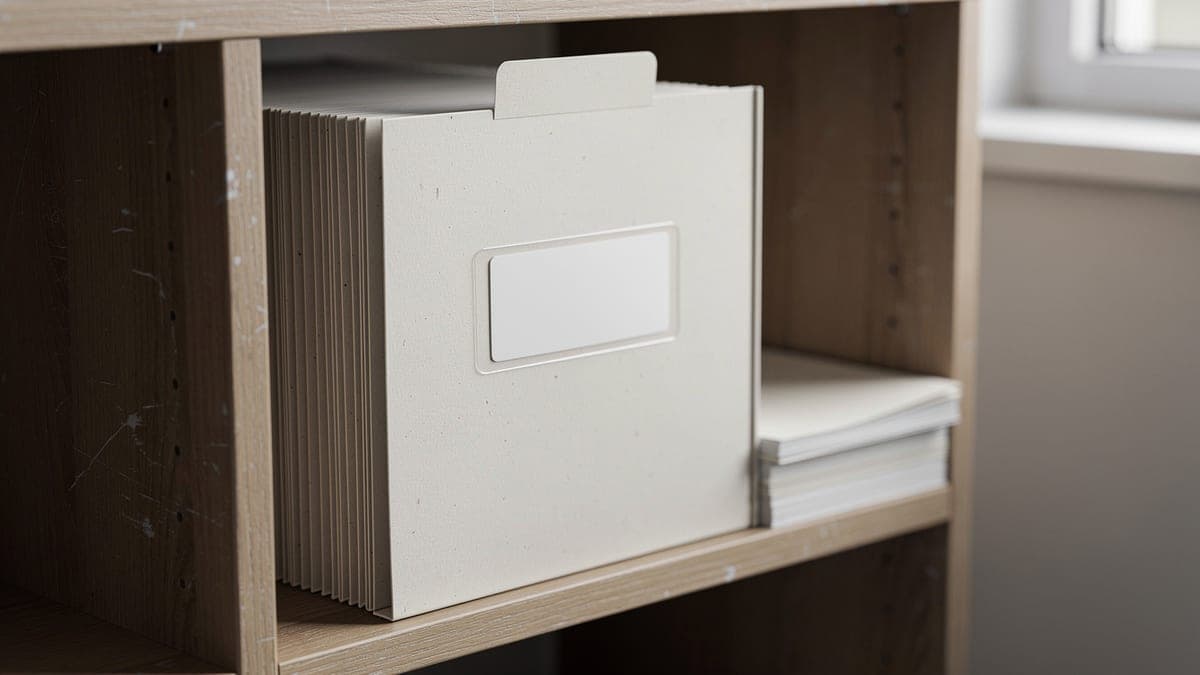
Pickup folder label types
Choose the label that matches the pickup problem. A small folder system is often easier to maintain than a large stack of finished pages.
| Label | Best for | What to write |
|---|---|---|
| Alphabet pickup label | Large storytime groups, summer reading tables, family programs, and open activity days | Sort finished pages by last initial, first initial, or family name so pickup stays quick. |
| Program date label | Recurring programs, weekly activity tables, and multi-day summer reading displays | Add the program date so staff know which pages are current and which pages are ready to clear. |
| No-name page label | Pages found after cleanup, pages without initials, and pages separated from a group | Keep no-name pages in one visible folder before they move to recycle or archive decisions. |
| Ready for pickup label | Displayed pages, dry marker pages, pages held overnight, and completed program work | Use plain pickup wording and include the final date the folder will stay available. |
| Source note label | Third-party printables, donated pages, library-created pages, and shared program packets | Keep public notes short and store full source or permission details in the program folder. |
| Archive or recycle label | Unclaimed pages, duplicate practice pages, staff examples, and program record folders | Mark what happens after the pickup window closes so pages do not pile up between programs. |
Folder options
| Folder | Best for | Note |
|---|---|---|
| A-Z accordion folder | Busy pickup desks, summer reading programs, and family names | Best when many people return on different days. |
| Program date folder | Weekly storytime, teen craft night, adult coloring sessions, and drop-in tables | A simple option when pickup happens by event rather than by name. |
| No-name folder | Pages without initials, loose pages found during cleanup, and pages from shared tables | Place near the pickup station so patrons can check it before the window closes. |
| Drying folder | Marker pages, gel pen pages, glue accents, and pages that need overnight storage | Use only after pages are dry enough not to transfer color. |
| Display return folder | Pages coming down from boards, hallway displays, and community showcases | Pair with a pickup window sign so patrons know when pages are available. |
| Archive examples folder | Selected staff examples, program records, and future display inspiration | Keep only selected examples so the archive stays useful. |
Pickup timing
Same day pickup
Crayon, colored pencil, and dry marker pages
Label the folder before the program ends and clear it at closing if pages go home immediately.
Next open day
Wet marker pages, glue-heavy pages, and programs ending near closing time
Use a drying note first, then move dry pages to the pickup folder.
One week
Storytime, teen programs, adult coloring tables, and recurring library events
A one-week window is easy to explain on signs and folder labels.
After display
Summer reading boards, hallway art displays, and community showcases
Post the display end date and move pages into pickup folders on that date.
After pickup closes
Unclaimed pages, no-name pages, duplicate pages, and program cleanup
Recycle extras or archive selected examples based on the posted folder label.
Label wording examples
Alphabet folder
Large pickup folders or family-name sorting
Finished pages: A-F
Program date
Recurring events and dated pickup bins
Storytime pages: July 8
No-name pages
Loose pages found after cleanup
No-name coloring pages: check before Friday
Pickup window
Pages held at the desk or activity room
Ready for pickup through Friday
Source note
Third-party printables or program packets
Printable page used for library activity only
Archive or recycle
End-of-window cleanup
Unclaimed pages recycle after July 12
Staff checklist
Before the program
- Choose the pickup window before printing labels
- Decide whether folders sort by alphabet, date, program, or pickup status
- Prepare a no-name folder before patrons arrive
- Write one short source note for printable pages
- Set aside a folder for staff examples only if needed
During cleanup
- Let marker or gel pen pages dry before stacking
- Add initials or names before pages leave the table
- Move pages into the correct pickup folder the same day when possible
- Keep no-name pages separate from alphabet folders
- Match folder wording to the nearby pickup sign
During pickup
- Place pickup folders where staff can see them
- Use alphabet tabs when many families return later
- Keep displayed pages separate until the display window ends
- Check the no-name folder before recycling anything
- Refresh labels if pickup dates change
After the window closes
- Archive only selected examples for program records
- Recycle duplicate practice pages and unclaimed extras
- Save reusable folders and labels for the next event
- Clear dated folders before the next program starts
- Note any confusing labels before reprinting them
Program label pairings
| Program | Label | Setup note |
|---|---|---|
| Storytime coloring table | Program date label | Use date folders and a no-name folder near the children desk. |
| Summer reading display | Display return folder | Move pages to pickup after the posted display date. |
| Teen craft night | Ready for pickup label | Hold pages overnight if marker or glue needs drying time. |
| Adult coloring session | Alphabet pickup label | Sort by last initial when patrons may return on different days. |
| Self-serve coloring station | No-name page label | Use initials and a clear pickup window to reduce loose pages. |
| Community center table | Archive or recycle label | Post what happens to unclaimed pages after the pickup date. |
Keep source notes in the staff folder
Public pickup labels should stay short. If a printable page needs fuller source or permission details, keep those notes in the staff program folder and use a simple public label.
Review the rights checklistHelpful pickup folder supplies
Start with reusable folders and removable labels. Add accordion folders, envelopes, or desktop sorters only when pickup grows beyond a small program stack.
| Supply | Best for | What to know | Compare |
|---|---|---|---|
| Accordion file folder | Alphabet pickup labels, family names, and busy library desks | Accordion folders make pickup easier when pages are collected over several days. | Compare on Amazon |
| Pocket folders | Program date folders, no-name pages, staff examples, and pickup windows | Pocket folders are simple to relabel between programs. | Compare on Amazon |
| Removable labels | Temporary pickup dates, alphabet tabs, no-name folders, and source notes | Removable labels keep reusable folders clean. | Compare on Amazon |
| File folder labels | A-Z folder systems, desk bins, and repeated pickup stations | Use when folders need to be read quickly by staff and patrons. | Compare on Amazon |
| Large envelopes | Displayed pages, larger coloring pages, and pages that should stay flat | Envelopes work well for one-time pickup packets. | Compare on Amazon |
| Binder clips | Keeping family pages, table groups, and pickup batches together | Clips help when folders are not enough for mixed-size pages. | Compare on Amazon |
| Dry erase pockets | Reusable pickup windows, changing program dates, and desk instructions | Use pockets when the same label changes every week. | Compare on Amazon |
| Desktop file sorter | Pickup counters, staff desks, and self-serve activity stations | A sorter keeps folders visible without spreading them across the desk. | Compare on Amazon |
Useful contexts
These labels work for library program pages, summer reading tables, homeschool resource shelves, community center craft nights, and classroom-style activity rooms that need a clear pickup system.
Helpful wording includes library coloring page pickup folder labels, coloring page pickup window, no-name coloring pages folder, program date pickup folder, and finished coloring page archive label.
FAQ
How should libraries label coloring page pickup folders?
Library coloring page pickup folders should use clear labels for alphabet ranges, program dates, no-name pages, pickup windows, source notes, and what happens after the pickup window closes.
Should pickup folders be sorted by name or program date?
Use alphabet labels when many patrons return later. Use program date labels when pickup happens by event, such as storytime, teen craft night, or summer reading table.
What should libraries do with no-name coloring pages?
Keep no-name pages in one visible folder during the pickup window. After the window closes, archive selected examples or recycle unclaimed extras based on the posted label.
How long should libraries keep finished coloring pages for pickup?
Many programs work well with same-day, next-open-day, one-week, or after-display pickup. The best window is the one staff can explain clearly and maintain consistently.
Do library coloring page folders need source notes?
Source notes are useful for third-party printables, donated pages, and program packets. Keep the public note short and store fuller details in the staff program folder.
Can unclaimed coloring pages be recycled?
Yes, if the pickup window was clear and the library does not need the page for records. Archive selected examples and recycle duplicate or unclaimed extras after the posted date.