
Classroom portfolio review
Classroom Coloring Page Portfolio Review Checklist
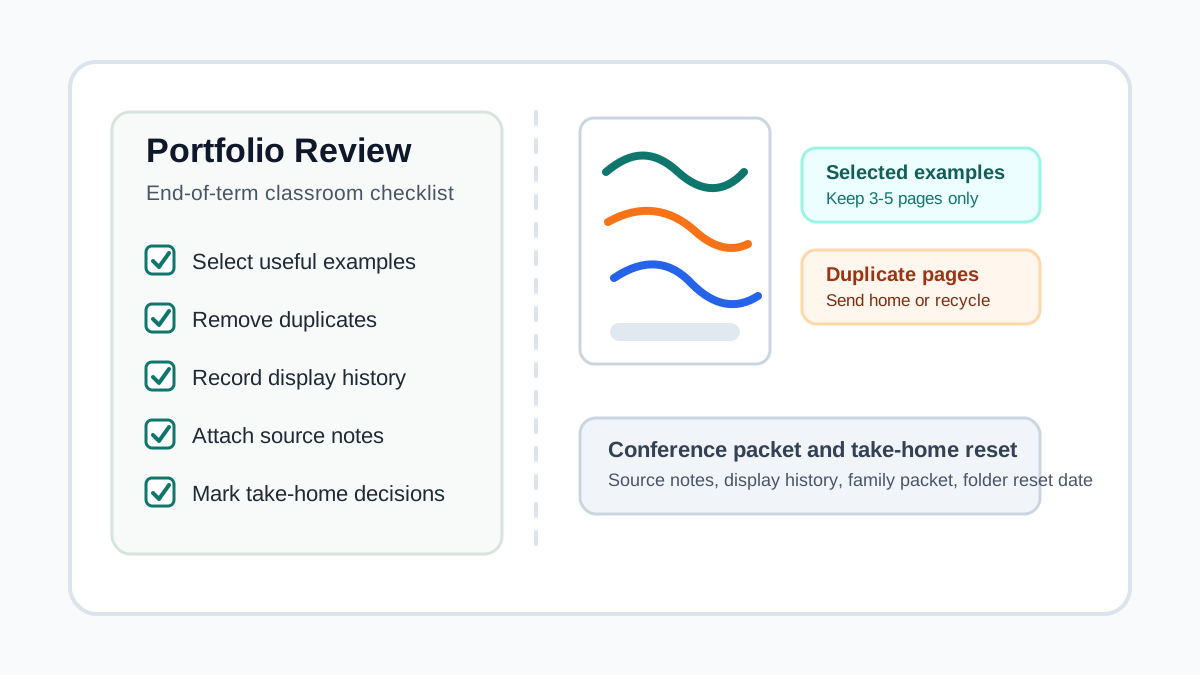
Use this review checklist to choose selected examples, clear duplicate pages, record display history, prepare parent conference packets, preserve source notes, mark take-home decisions, and reset folders at the end of the term.
Direct answer
A classroom coloring page portfolio review checklist should help teachers keep selected examples, remove duplicates, record display history, prepare conference packets, store source notes, mark take-home decisions, and reset folders at the end of the term.
Portfolio review checklist steps
Review pages by decision, not by stack size. A useful portfolio shows a small, readable set of examples instead of saving every finished coloring page.
| Task | Check | Decision |
|---|---|---|
| Selected examples | Pages that show effort, progress, color choices, pattern work, theme work, or a display moment | Keep a small set with a short note so the portfolio has context instead of bulk. |
| Duplicate pages | Repeated practice pages, extra printouts, unfinished duplicates, and pages with no review value | Send useful extras home and recycle duplicates after source and display decisions are complete. |
| Display history | Pages from bulletin boards, hallway displays, open house tables, or classroom showcases | Record display location and return date before pages move to portfolio or take-home folders. |
| Parent conference packet | Pages that help explain progress, care, theme participation, or a classroom routine | Pull only the examples that make the conversation clearer and mark what goes home after review. |
| Source notes | Printable masters, donated pages, teacher-created sheets, and shared packets | Keep source notes staff-facing and separate from regular student take-home pages. |
| Take-home decisions | Pages ready for backpack folders, family packets, display returns, or end-of-term envelopes | Mark what goes home now, what waits for conferences, and what stays as a selected example. |
| No-name or absent pages | Loose pages, pages without initials, absent student work, and pages found after display rotation | Hold them in one dated folder before filing, sending home, recycling, or adding to packets. |
| End-of-term reset | Full folders, outdated dividers, old source notes, duplicate pages, and storage bins | Send most pages home, keep a small record set, and reset folders before the next term starts. |
Review wording examples
Selected example
Pages kept for review or conferences
Selected example: effort / pattern / color choice / display
Duplicate page
Repeated pages and extra printouts
Duplicate practice pages: send home or recycle after review
Display history
Pages coming down from walls or boards
Displayed: _____ / Returned: _____ / Next: _____
Conference packet
Family meetings and progress conversations
Conference packet: keep until _____ / send home after _____
Source notes
Staff-facing records
Source notes here: printable masters and reuse details
End-of-term reset
Term cleanup and folder reset
Portfolio reset: keep / send home / recycle / archive
Review timing
| Timing | Review | Decision |
|---|---|---|
| Weekly folder check | Loose pages, no-name pages, backpack folders, and duplicate practice pages | Send regular work home before folders become storage. |
| Monthly portfolio review | Selected examples, date ranges, display returns, and source notes | Keep a small useful set and clear repeated pages. |
| After display rotation | Display history, return slips, pickup timing, and take-home folders | Record where the page was shown and decide whether it stays or goes home. |
| Before parent conferences | Progress examples, theme pages, display pieces, and source notes | Build a short packet that is easy to explain. |
| End of term | Full portfolios, duplicate pages, bins, dividers, and old source notes | Send most pages home, archive only selected examples, and reset the system. |
Portfolio system fit
Individual student folder
Younger students, weekly take-home timing, and simple classroom routines
Use one review note on the front so pages do not stay forever.
Student binder
Monthly sections, selected examples, source notes, and conference review
Review before adding another month of pages so binders stay light.
Whole-class file box
Large classes, absent pages, table groups, and quick sorting
Use dated folders for pages waiting on student names or conference decisions.
Conference packet
A small set of pages used for family conversations
Choose pages that explain a specific classroom point, not every nice page.
Display return folder
Pages that came down from boards, hallways, or open house tables
Record display history before the page moves home.
End-of-term envelope
Flat pages, keepsake sets, selected examples, and take-home packets
Use envelopes when finished pages should not be folded or hole-punched.
Printable review sheet preview
Portfolio Review Sheet
End-of-Term Coloring Portfolio
Review selected examples, duplicate pages, display history, source notes, conference packets, take-home decisions, and folder reset timing.
Selected examples
ReviewPages that show effort, progress, color choices, pattern work, theme work, or a display moment
Duplicate pages
ReviewRepeated practice pages, extra printouts, unfinished duplicates, and pages with no review value
Display history
ReviewPages from bulletin boards, hallway displays, open house tables, or classroom showcases
Parent conference packet
ReviewPages that help explain progress, care, theme participation, or a classroom routine
Source notes
ReviewPrintable masters, donated pages, teacher-created sheets, and shared packets
Teacher checklist
Before review week
- Choose the review window before adding another batch of pages
- Set aside folders for selected examples, duplicate pages, no-name pages, and take-home pages
- Keep source notes staff-facing and separate from student packets
- Check display history before pages leave the classroom wall
- Decide how many examples each portfolio should keep
During review
- Keep examples that show effort, progress, technique, theme work, or display history
- Remove duplicate printouts and repeated practice pages
- Add display dates to pages that came from boards or hallway displays
- Hold no-name pages in one dated folder before filing
- Pull only conference pages that help the family conversation
Before sending home
- Mark what goes home now and what stays until parent conferences
- Use large envelopes for pages that should stay flat
- Attach return notes when displayed pages are going home
- Keep source notes out of family packets unless they are meant to be shared
- Clear absent student pages into one dated folder
End-of-term reset
- Send most pages home and keep only selected examples
- Recycle duplicate extras after source and display decisions are done
- Refresh divider tabs, labels, and review dates
- Clear storage bins before the next term starts
- Save reusable wording for the next class or cycle
Portfolio decisions
| Decision | Use when |
|---|---|
| Keep in portfolio | The page shows progress, a display history, a helpful theme, or conference context. |
| Send home | The page is finished but does not need classroom review or storage. |
| Hold for conference | The page supports a short family conversation and should stay until the meeting. |
| Move to display return | The page came down from a board and needs a return date or take-home slip. |
| Archive source note | The printable source or reuse detail needs a staff record. |
| Recycle duplicate | The page is an extra printout, repeated practice sheet, or unneeded duplicate. |
Keep the review set small
A portfolio is easier to use when it shows a few clear examples. Keep pages that help explain progress, display history, or a conference point, then send the rest home on a predictable schedule.
Set up divider tabsHelpful portfolio review supplies
Start with a review date, a small selected-example rule, and one take-home routine. Add folders, dividers, envelopes, or bins when they reduce sorting time.
| Supply | Best for | What to know | Compare |
|---|---|---|---|
| Pocket folders | Student portfolios, weekly take-home pages, and simple review routines | Folders are easy to label and simple for students to take home. | Compare on Amazon |
| Binder dividers | Monthly reviews, selected examples, conference packets, and source notes | Dividers make review sections easier to scan before conferences or term reset. | Compare on Amazon |
| Sheet protectors | Selected examples, display history pages, and repeated conference handling | Use sleeves for a small example set rather than every practice page. | Compare on Amazon |
| Hanging file folders | Whole-class sorting, absent pages, no-name pages, and take-home batches | File folders help when pages are added often and sorted later. | Compare on Amazon |
| Large envelopes | End-of-term packets, flat pages, family packets, and open house take-home sets | Envelopes keep finished pages flat when a pocket folder is too small. | Compare on Amazon |
| Removable labels | Review dates, student names, selected examples, and take-home decisions | Removable labels help folders and bins change between terms. | Compare on Amazon |
| Storage bins | Portfolio review week, end-of-term reset, and class folder storage | Use bins with a visible review date so pages do not sit indefinitely. | Compare on Amazon |
| Paper trimmer | Cutting review labels, source note slips, divider labels, and return notes | A trimmer keeps repeated labels readable across a whole class. | Compare on Amazon |
Useful contexts
Teacher portfolio systems, homeschool review routines, parent conference prep pages, daycare activity records, and classroom organization guides can use a portfolio review checklist as a practical folder reset tool.
Helpful wording includes classroom coloring page portfolio review checklist, selected examples, duplicate pages, display history, parent conference packets, source notes, take-home decisions, and end-of-term reset.
FAQ
What should a classroom coloring page portfolio review checklist include?
Include selected examples, duplicate pages, display history, parent conference packets, source notes, take-home decisions, no-name or absent pages, and end-of-term reset.
Should every finished coloring page stay in a classroom portfolio?
Usually no. Keep a small set of meaningful examples and send most finished pages home on a predictable schedule.
How do teachers choose selected examples for coloring portfolios?
Choose pages that show effort, progress, color choice, pattern work, a classroom theme, display history, or useful conference context.
Where should source notes go during portfolio review?
Keep source notes in a teacher folder, binder section, or staff-facing sleeve. Student packets can stay simple unless a note is meant to go home.
When should coloring portfolios be reset?
Review weekly for take-home pages, monthly for duplicates, after display rotation for return notes, before conferences for selected examples, and at the end of each term for storage reset.
What should happen to duplicate coloring pages?
Send useful extras home or recycle duplicates after source notes, display history, and selected-example decisions are complete.